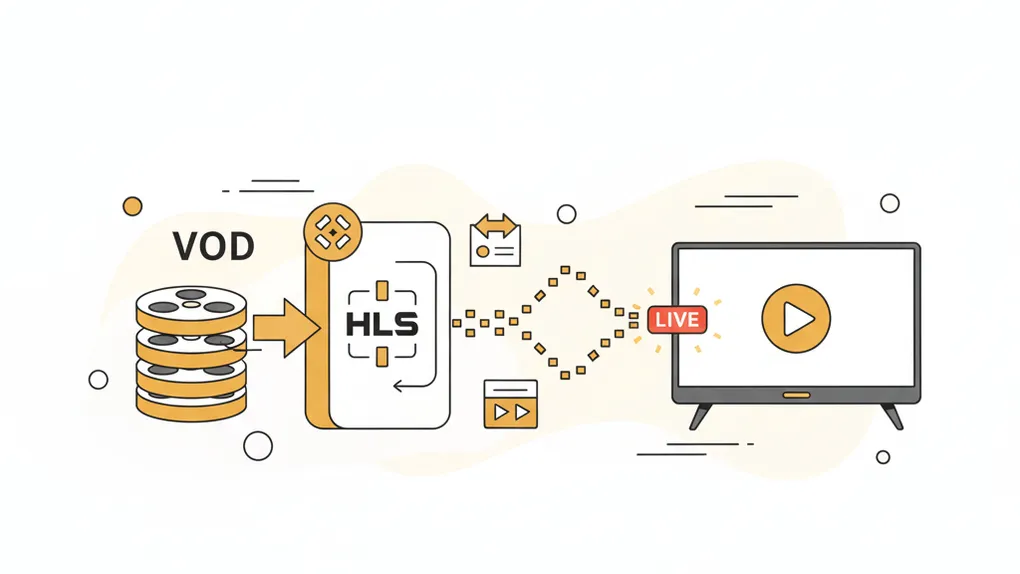
Simulate-Live from HLS VOD
Simulate-Live from HLS VOD
Description
This article explores how to transform an HLS Video on Demand (VOD) stream into a simulated live experience. By modifying the HLS manifest dynamically, we can ensure that users joining the stream see content at a real-time-simulated position rather than from the beginning. We discuss the problem, the idea behind the solution, debugging to find the right approach, step-by-step implementation, and the final JavaScript code that makes it possible.
Problem
How to simulate a live broadcast experience from a VOD source
HLS (HTTP Live Streaming) is widely used for delivering video content over the internet. However, many videos are available as Video on Demand (VOD), meaning users can start, pause, and seek through the content at any time.
While this flexibility is useful, there are scenarios where we need to simulate a live broadcast experience from a VOD source. This means that when a user joins, they should see the video at the point where a real-time stream would have been if it were truly live.
Find the Solution
What HLS is?
HLS (HTTP Live Streaming) is a streaming technology developed by Apple, that allows video files to be broken into smaller chunks and delivered over HTTP. This makes streaming more efficient and adaptable to different network conditions. The core of HLS is the M3U8 playlist file and its segments file.
Building blocks of HLS
HLS (HTTP Live Streaming) operates using two main types of M3U8 playlists: main playlist and media playlist
Main playlist
A main playlist is an M3U8 file that tells the HLS player which video quality options are available. It contains multiple variants of the same video at different bitrates or resolutions, allowing the player to adapt to network conditions dynamically.
#EXTM3U#EXT-X-STREAM-INF:BANDWIDTH=1280000,AVERAGE-BANDWIDTH=1000000http://example.com/low.m3u8#EXT-X-STREAM-INF:BANDWIDTH=2560000,AVERAGE-BANDWIDTH=2000000http://example.com/mid.m3u8#EXT-X-STREAM-INF:BANDWIDTH=7680000,AVERAGE-BANDWIDTH=6000000http://example.com/hi.m3u8#EXT-X-STREAM-INF:BANDWIDTH=65000,CODECS="mp4a.40.5"http://example.com/audio-only.m3u8Example of main playlist contains:
- Low quality (e.g., 480p, lower bitrate)
#EXT-X-STREAM-INF:BANDWIDTH=1280000,AVERAGE-BANDWIDTH=1000000http://example.com/low.m3u8- Medium quality (e.g., 720p, moderate bitrate)
#EXT-X-STREAM-INF:BANDWIDTH=2560000,AVERAGE-BANDWIDTH=2000000http://example.com/mid.m3u8- High quality (e.g., 1080p, high bitrate)
#EXT-X-STREAM-INF:BANDWIDTH=7680000,AVERAGE-BANDWIDTH=6000000http://example.com/hi.m3u8- Audio-only option
#EXT-X-STREAM-INF:BANDWIDTH=65000,CODECS="mp4a.40.5"http://example.com/audio-only.m3u8Media (Level) playlist
A Media Playlist (or Level Playlist) contains the actual video segments (chunks of video) that are played sequentially.
Types of Media Playlists:
- VOD (Video on Demand): Fixed playlist with an
#EXT-X-ENDLISTtag.
#EXTM3U#EXT-X-PLAYLIST-TYPE:VOD#EXT-X-TARGETDURATION:10#EXT-X-VERSION:4#EXT-X-MEDIA-SEQUENCE:0#EXTINF:10.0,http://example.com/movie1/fileSequenceA.ts#EXTINF:10.0,http://example.com/movie1/fileSequenceB.ts#EXTINF:10.0,http://example.com/movie1/fileSequenceC.ts#EXTINF:9.0,http://example.com/movie1/fileSequenceD.ts#EXT-X-ENDLIST- Live Streaming: Updates dynamically with
#EXT-X-MEDIA-SEQUENCE
#EXTM3U#EXT-X-TARGETDURATION:10#EXT-X-VERSION:4#EXT-X-MEDIA-SEQUENCE:1#EXTINF:10.0,fileSequence1.ts#EXTINF:10.0,fileSequence2.ts#EXTINF:10.0,fileSequence3.ts#EXTINF:10.0,fileSequence4.ts#EXTINF:10.0,fileSequence5.tsHow Hls work
HLS works by breaking video content into small chunks (segments) and providing an M3U8 playlist file that lists these segments. The player continuously fetches and plays these segments, enabling adaptive bitrate streaming. An M3U8 playlist file may include:
-
#EXTM3U– Indicates that this is an M3U8 playlist. -
#EXT-X-TARGETDURATION– The maximum segment duration. -
#EXTINF– Specifies the duration of each segment. -
#EXT-X-ENDLIST– Marks the end of a VOD playlist.
Example of m3u8 for VOD
#EXTM3U#EXT-X-VERSION:3#EXT-X-PLAYLIST-TYPE:VOD#EXT-X-TARGETDURATION:10#EXTINF:10,segment1.ts#EXTINF:10,segment2.ts#EXTINF:10,segment3.ts#EXT-X-ENDLISTHow HLS Live Stream Works
Unlike VOD, live HLS streams update continuously as new segments are generated. Key differences include:
No #EXT-X-ENDLIST, allowing the playlist to grow dynamically.
The presence of #EXT-X-MEDIA-SEQUENCE, indicating the sequence number of the first segment in the playlist.
The playlist only contains a moving window of the latest segments, simulating real-time playback.
Example of m3u8 for live stream at
-
timestamp
t1#EXTM3U#EXT-X-VERSION:3#EXT-X-TARGETDURATION:10#EXT-X-MEDIA-SEQUENCE:1000#EXTINF:10,segment1000.ts#EXTINF:10,segment1001.ts#EXTINF:10,segment1002.ts -
timestamp
t2#EXTM3U#EXT-X-VERSION:3#EXT-X-TARGETDURATION:10#EXT-X-MEDIA-SEQUENCE:1000#EXT-X-MEDIA-SEQUENCE:1001#EXTINF:10,segment1000.ts#EXTINF:10,segment1001.ts#EXTINF:10,segment1002.ts#EXTINF:10,segment1003.ts
Idea
To achieve a simulated live experience from an HLS VOD stream, we can manipulate the playlist (.m3u8) dynamically. The goal is to:
- Remove indicators that define the stream as VOD.
- Trim the playlist so that playback starts at a calculated point, mimicking a real-time progression.
There many player that could be used to play HLS stream, but in this article, we will use HLS.js, a JavaScript library that implements an HLS client.
Checkout its reference player.
Also, the version of HLS.js that we will use is 1.5.20 at the time write this article.
Debugging
- We first need to know how HLS.js works and how it loads the playlist. Look at the image below we could see that HLS.js use
playlist-loaderto handle it.
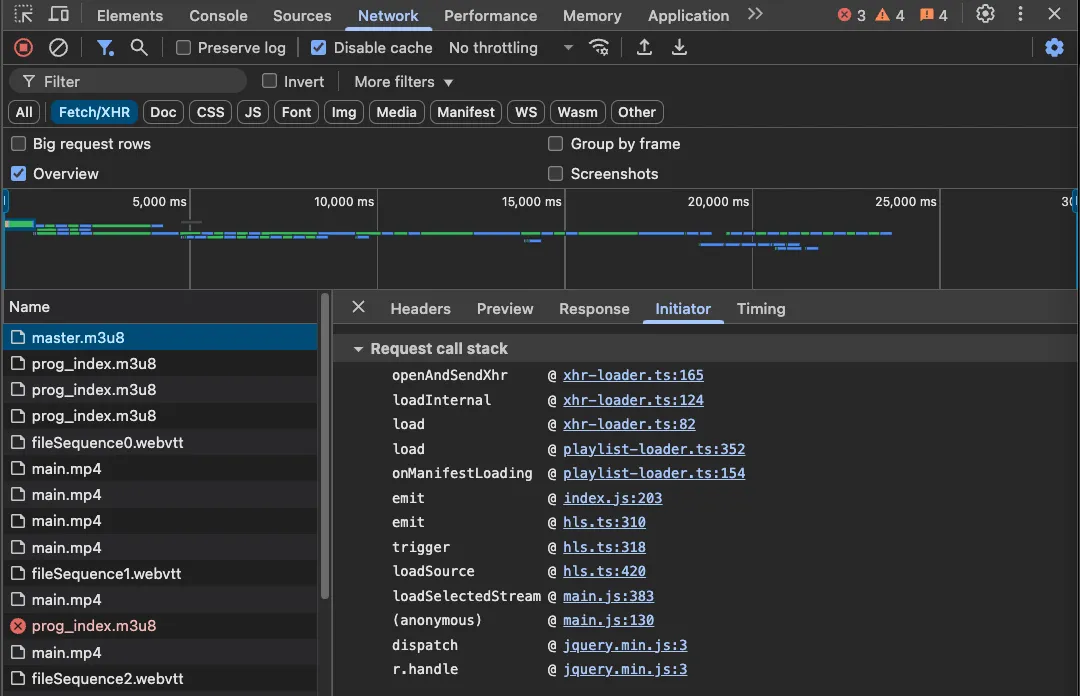
Further more debug, we could see that HLS.js use loader to load the segment and we can config the loader via config.pLoader or config.loader in the HLS.js config.
reference to source
/** * Returns defaults or configured loader-type overloads (pLoader and loader config params) */ private createInternalLoader( context: PlaylistLoaderContext, ): Loader<LoaderContext> { const config = this.hls.config; const PLoader = config.pLoader; const Loader = config.loader; const InternalLoader = PLoader || Loader; const loader = new InternalLoader(config) as Loader<PlaylistLoaderContext>;
this.loaders[context.type] = loader; return loader; }
private getInternalLoader( context: PlaylistLoaderContext, ): Loader<LoaderContext> | undefined { return this.loaders[context.type]; }
private resetInternalLoader(contextType): void { if (this.loaders[contextType]) { delete this.loaders[contextType]; } }At this port, we gonna use config.pLoader to config the loader to load the playlist and modify the playlist before it’s loaded.
Checkout config.pLoader document, we could see that the document already prepare this for us.
And all we have to do it copy it and modify the process function to fit our need.
// special playlist post processing functionfunction process(playlist) { if (playlist.includes('#EXT-X-STREAM-INF')) { // we only process media playlist return playlist }
// Remove VOD tag indicator return playlist .replace('#EXT-X-PLAYLIST-TYPE:VOD\n', '') .replace('#EXT-X-ENDLIST\n', '');}
class pLoader extends Hls.DefaultConfig.loader { constructor(config) { super(config); var load = this.load.bind(this); this.load = function (context, config, callbacks) { if (context.type == 'manifest') { var onSuccess = callbacks.onSuccess; callbacks.onSuccess = function (response, stats, context) { response.data = process(response.data); onSuccess(response, stats, context); }; } load(context, config, callbacks); }; }}
var hls = new Hls({ pLoader: pLoader, // to create make sure simulate live work liveDurationInfinity: true, // to remove the duration in the video tag startPosition: 0, // start playing position});Demo
Available demo at here
Conclusion
By intercepting and modifying the HLS manifest, we can create a simulated live experience for VOD content. This approach ensures users experience the video as if it were a live stream, enhancing engagement for specific use cases like scheduled replays or simulated broadcasts. Using a custom HLS.js loader, we can dynamically adjust playback behavior while keeping the infrastructure simple and scalable.